Design system / Case study
MCUT e-Learning: Foundations & Component Reference System
01 / Context and challenge
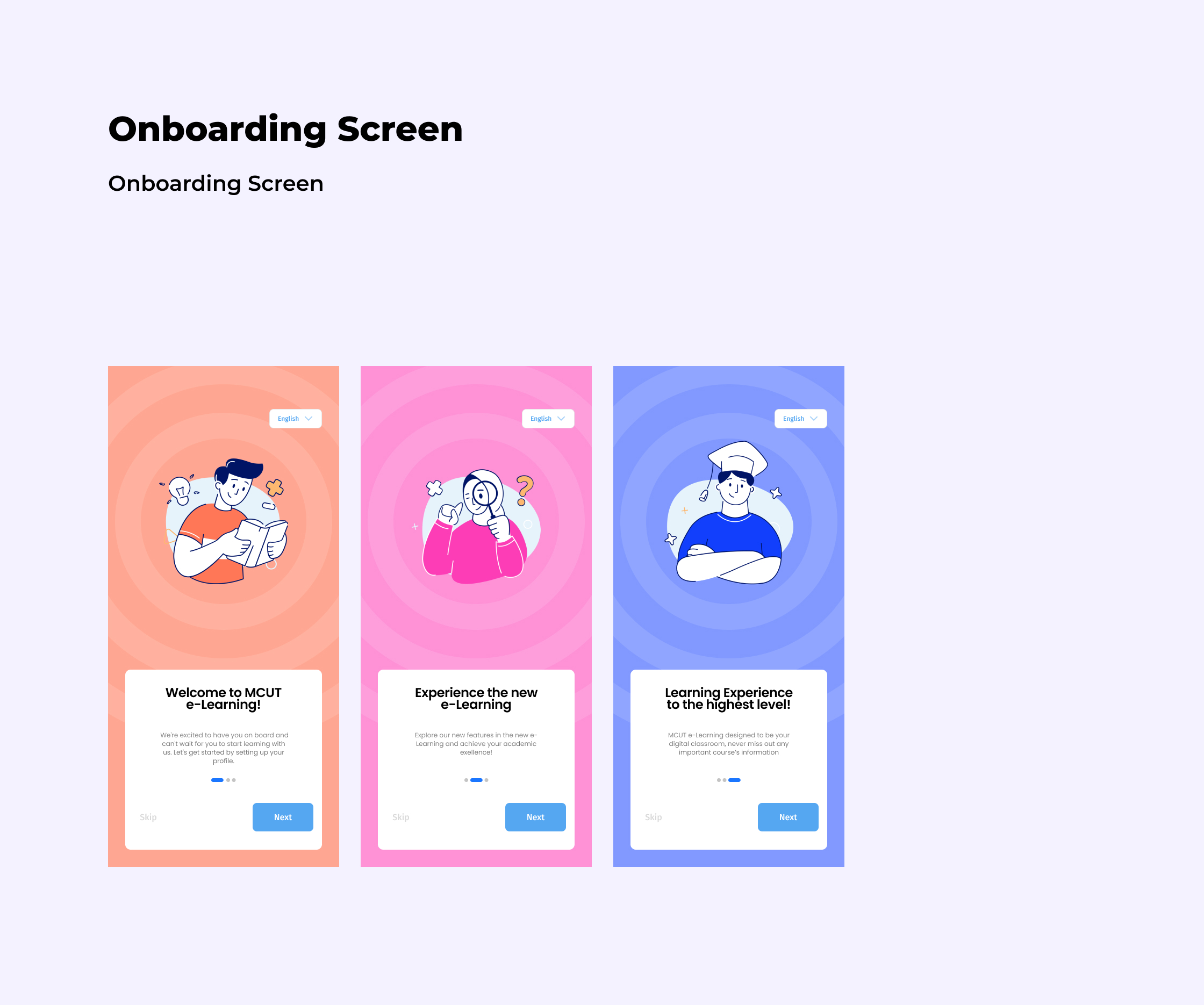
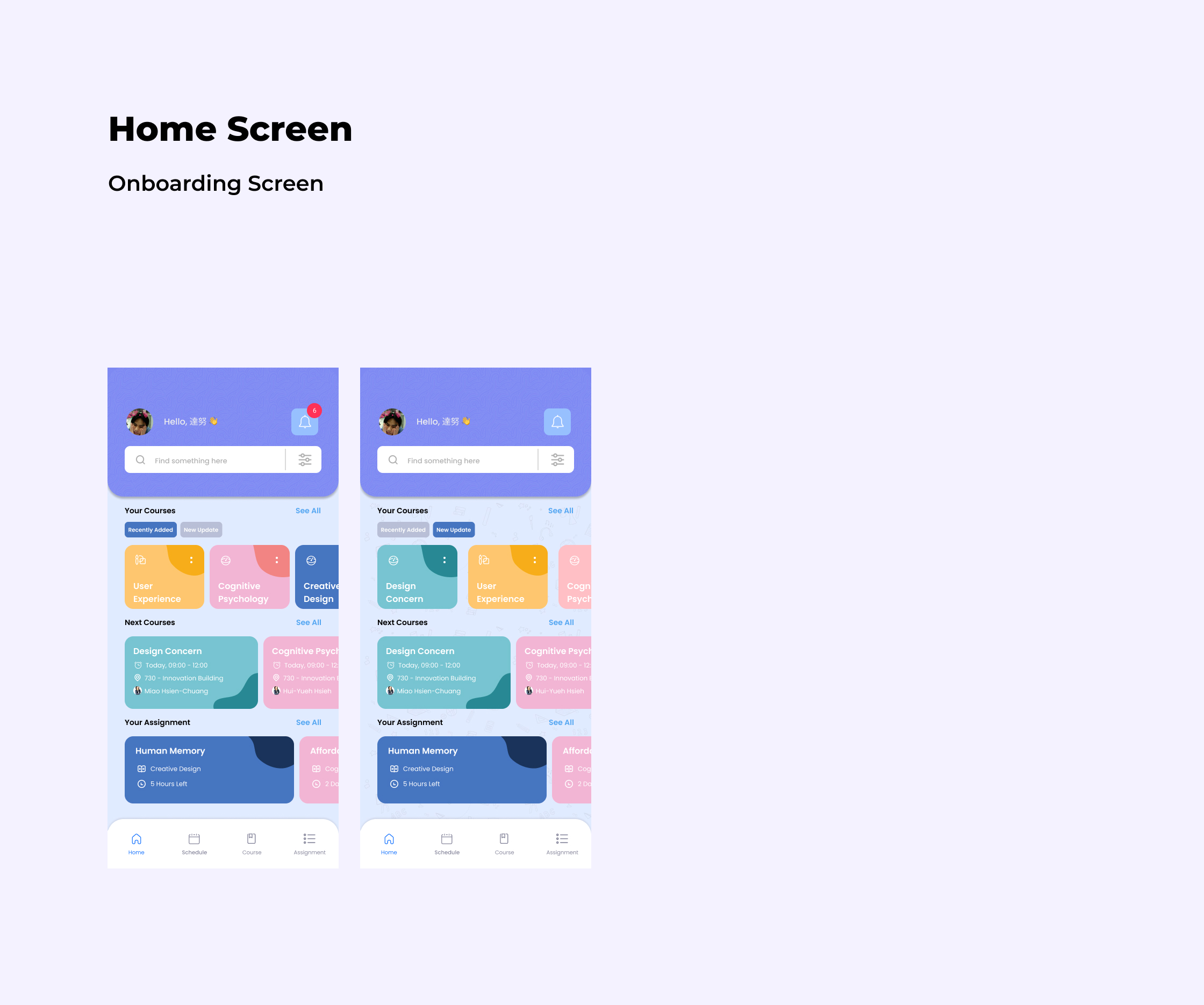
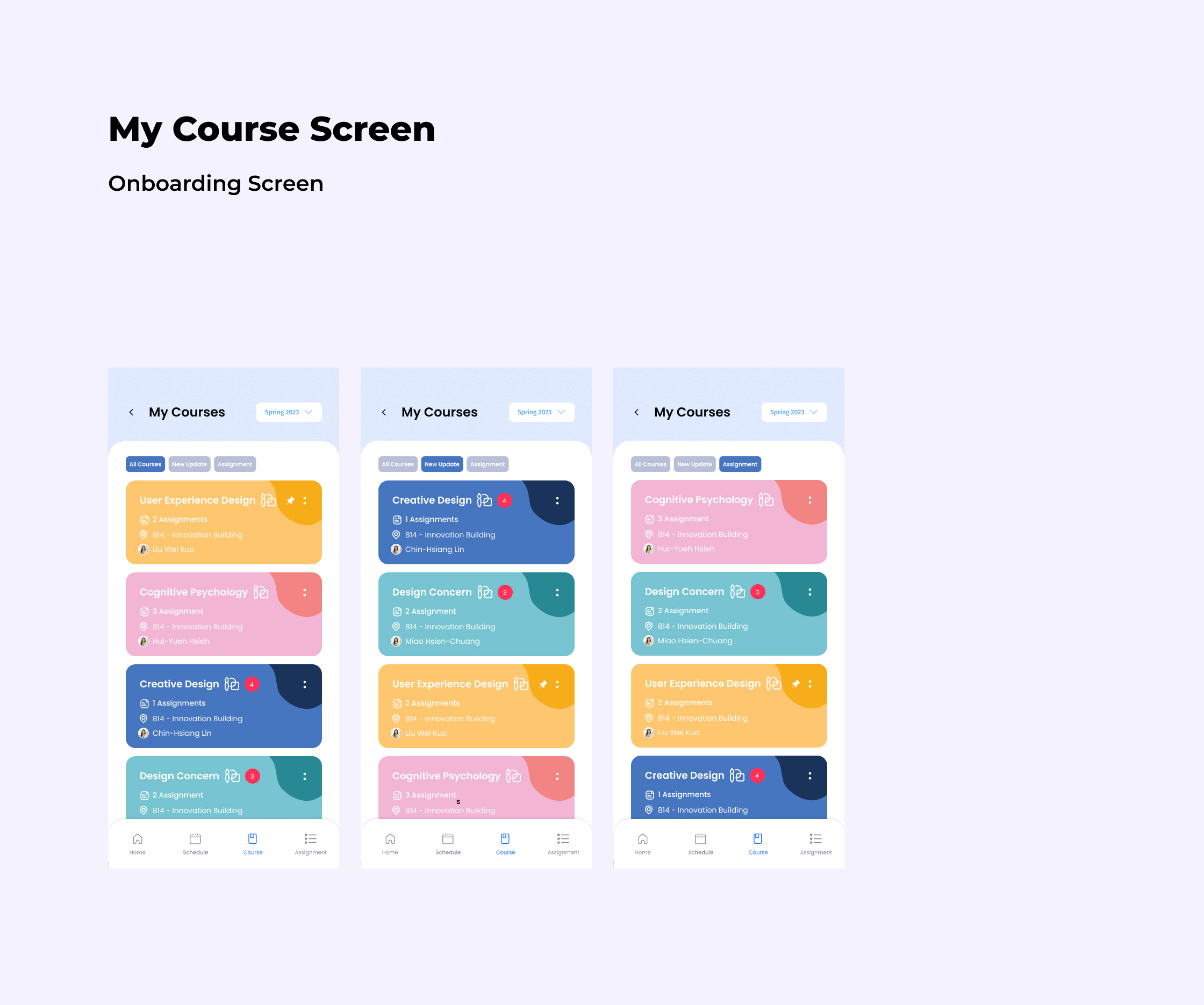
The MCUT e-Learning mobile application serves as a daily academic hub for students at Ming Chi University of Technology, handling course materials, schedules, and assignment submissions. However, the existing interface relied on unstandardized local assets, featuring mixed typography (Poppins, Fira Sans, and Roboto), low-contrast text over light course fills, ambiguous status indicators (such as decorative gradients instead of written feedback), and inconsistent interactive states.
The challenge was to audit and capture what already existed in the live product and establish a practical v0.1 foundations-and-components reference system. Rather than forcing a disruptive visual overhaul, this system needed to document observed patterns and propose normalized, accessible states so product teams can make consistent future decisions while keeping legacy screens intact.
02 / Design rationale
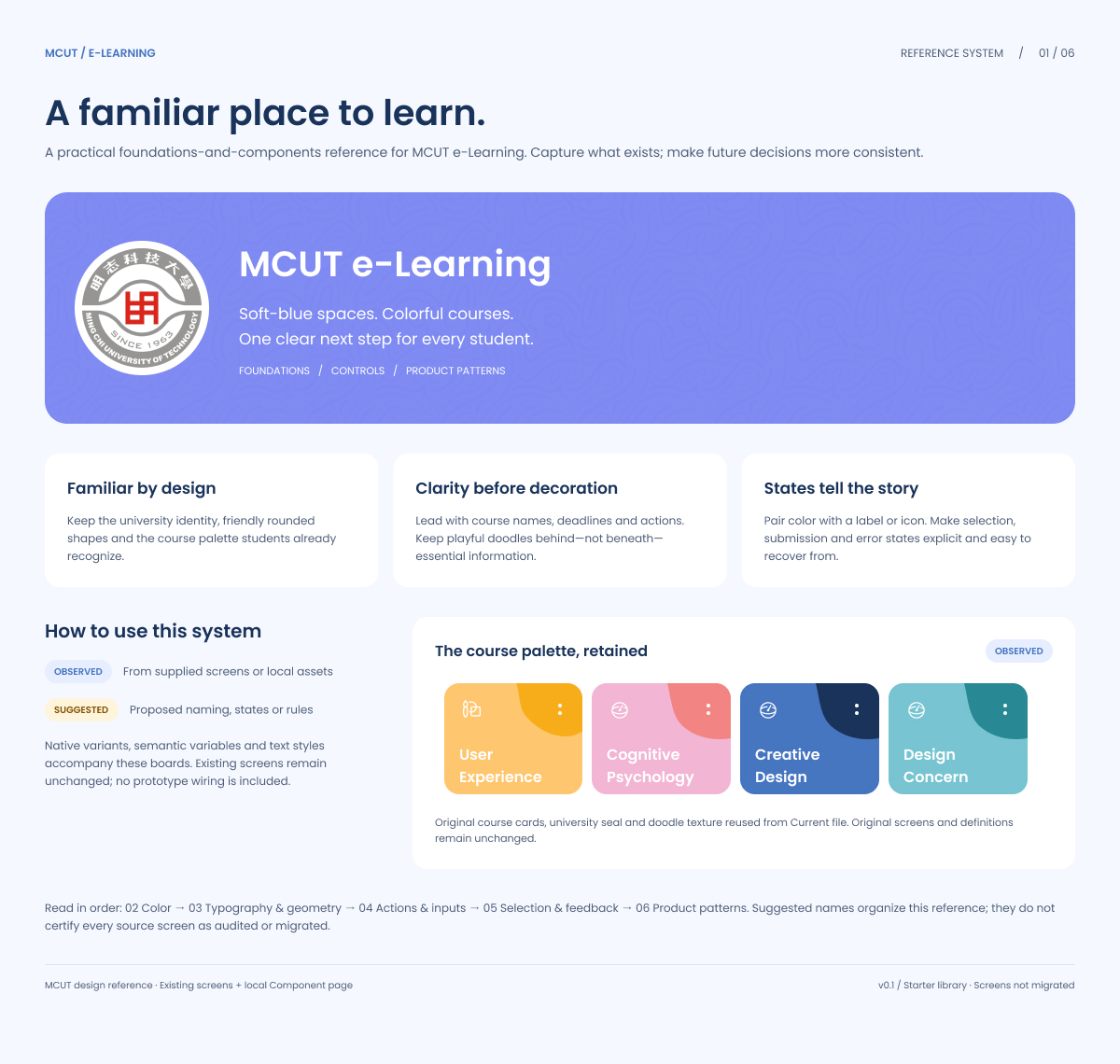
To balance legacy continuity with modern usability and WCAG accessibility standards, the reference system was structured around four core principles:
- Familiar by Design: Retain the university identity, friendly rounded geometry, soft-blue surfaces, and the subject-specific course palette that students already recognize.
- Clarity Before Decoration: Lead with course names, exact deadlines, and clear primary actions while keeping playful background doodles behind (never beneath) essential information.
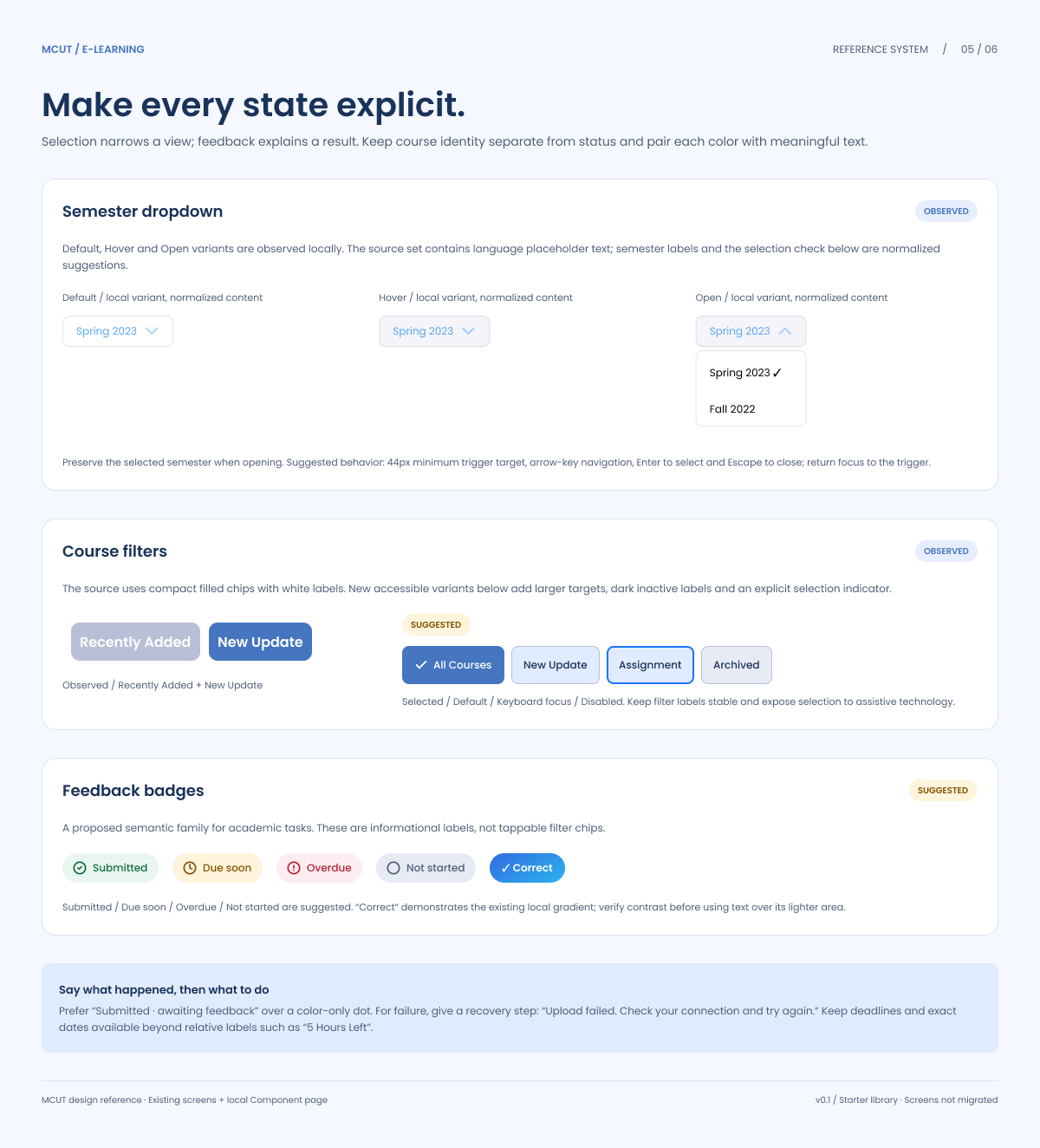
- States Tell the Story: Never rely on color alone to communicate status or course identity. Pair every semantic color with an explicit text label or icon, and provide actionable recovery copy for errors (e.g., “Upload failed. Check your connection and try again”).
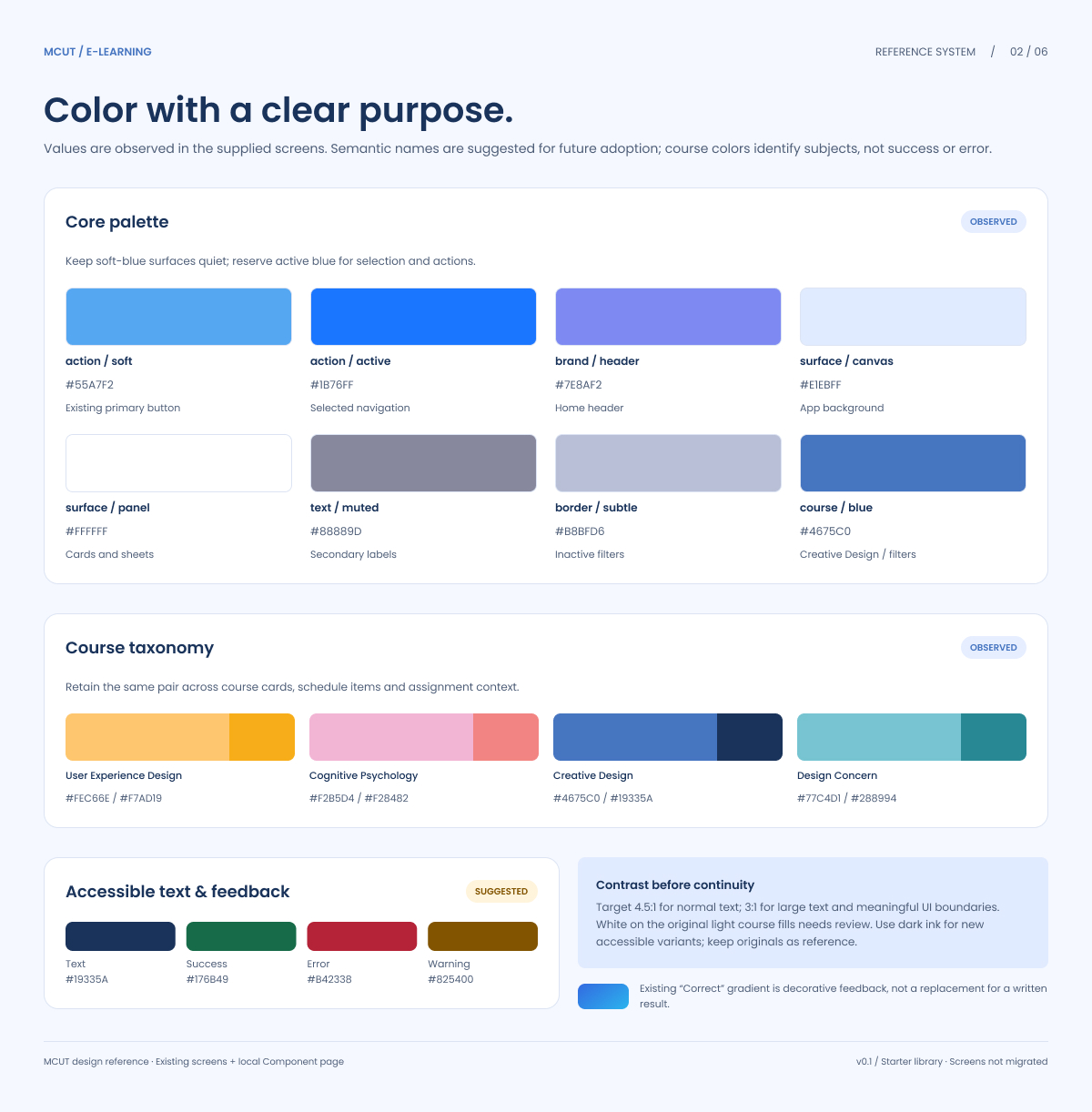
- Contrast Before Continuity: Target a minimum 4.5:1 contrast ratio for normal text and 3:1 for large text and meaningful UI boundaries. Where original white labels on light course fills failed contrast checks, dark ink (
#19335A) and high-contrast accessible variants were introduced alongside the retained original assets.
03 / System and implementation
The reference system organizes existing assets (OBSERVED) and proposed rules (SUGGESTED) across five foundational pillars:
- Color Architecture: Built around a quiet soft-blue canvas (
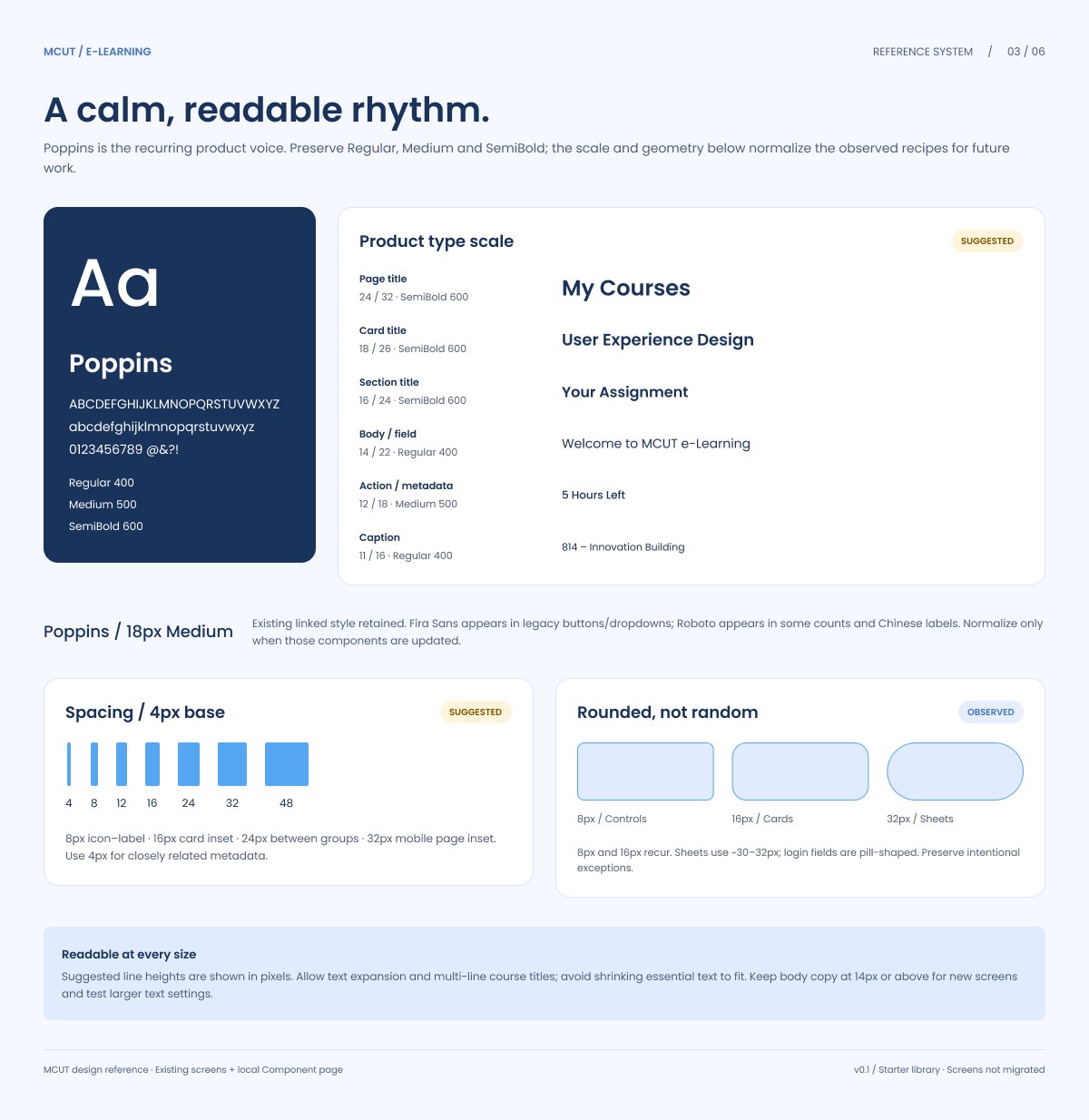
#E1EBFF) and crisp white panels (#FFFFFF), reserving active blue (#1876FF) strictly for selection and primary actions. Course taxonomy pairs (such as#FEC66E / #F7AD19for User Experience Design and#F2B5D4 / #F28482for Cognitive Psychology) remain dedicated to subject identification across cards, schedules, and grades, completely separated from semantic feedback tokens (Success#176849, Error#B42338, Warning#825400). - Typography & Spatial Rhythm: Normalized on Poppins (Regular 400, Medium 500, SemiBold 600) across a 6-tier scale ranging from Page Titles (
24/32px) to Captions (11/16px), keeping body copy at14pxor above. Layout spacing follows a strict4pxbase unit (8pxicon-label gaps,16pxcard insets,24pxgroup separation, and32pxmobile page insets) paired with purposeful corner radii (8pxcontrols,16pxcards,32pxsheets, and pill-shaped login fields). - Actions & Normalized Inputs: Established explicit interactive states (
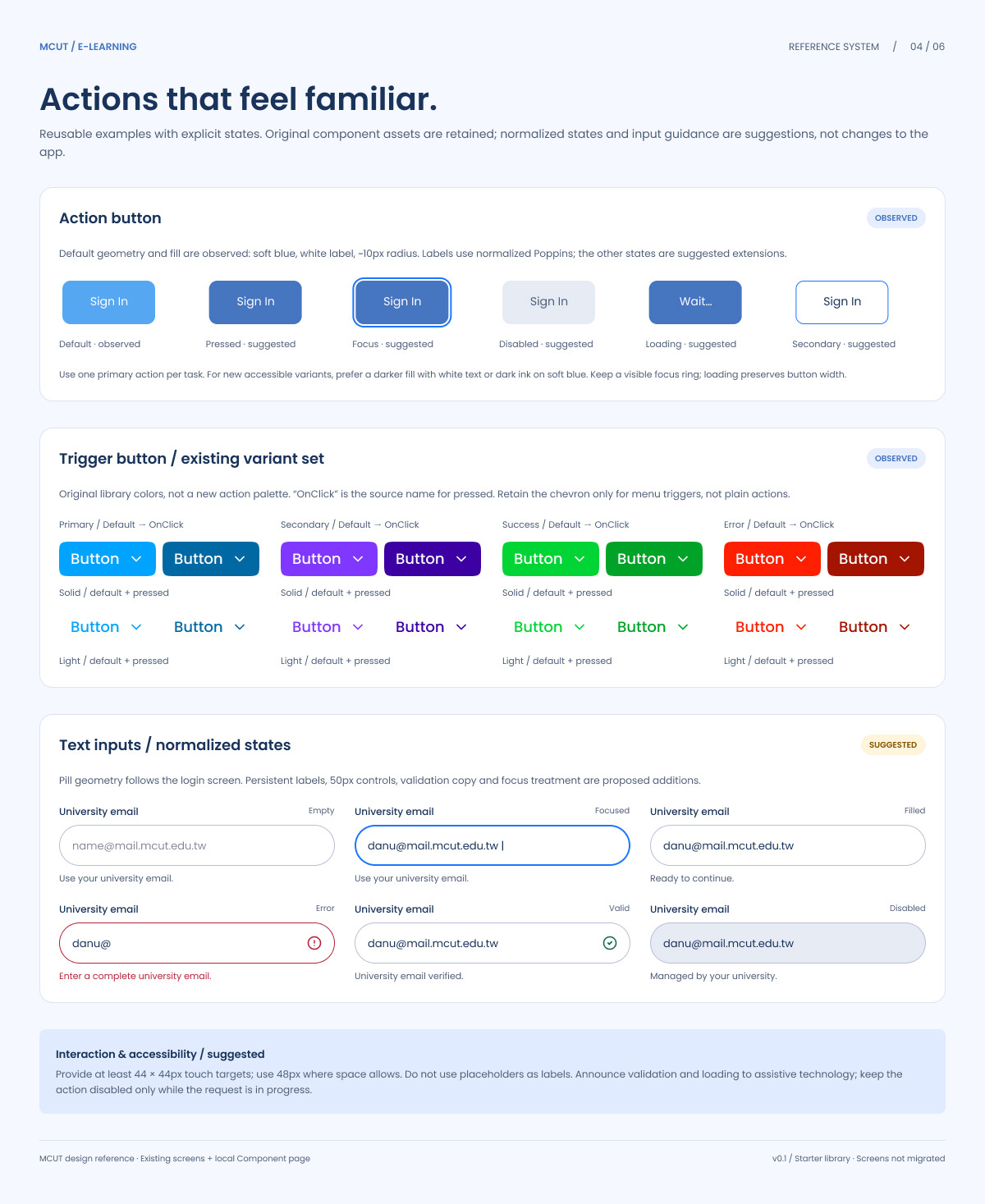
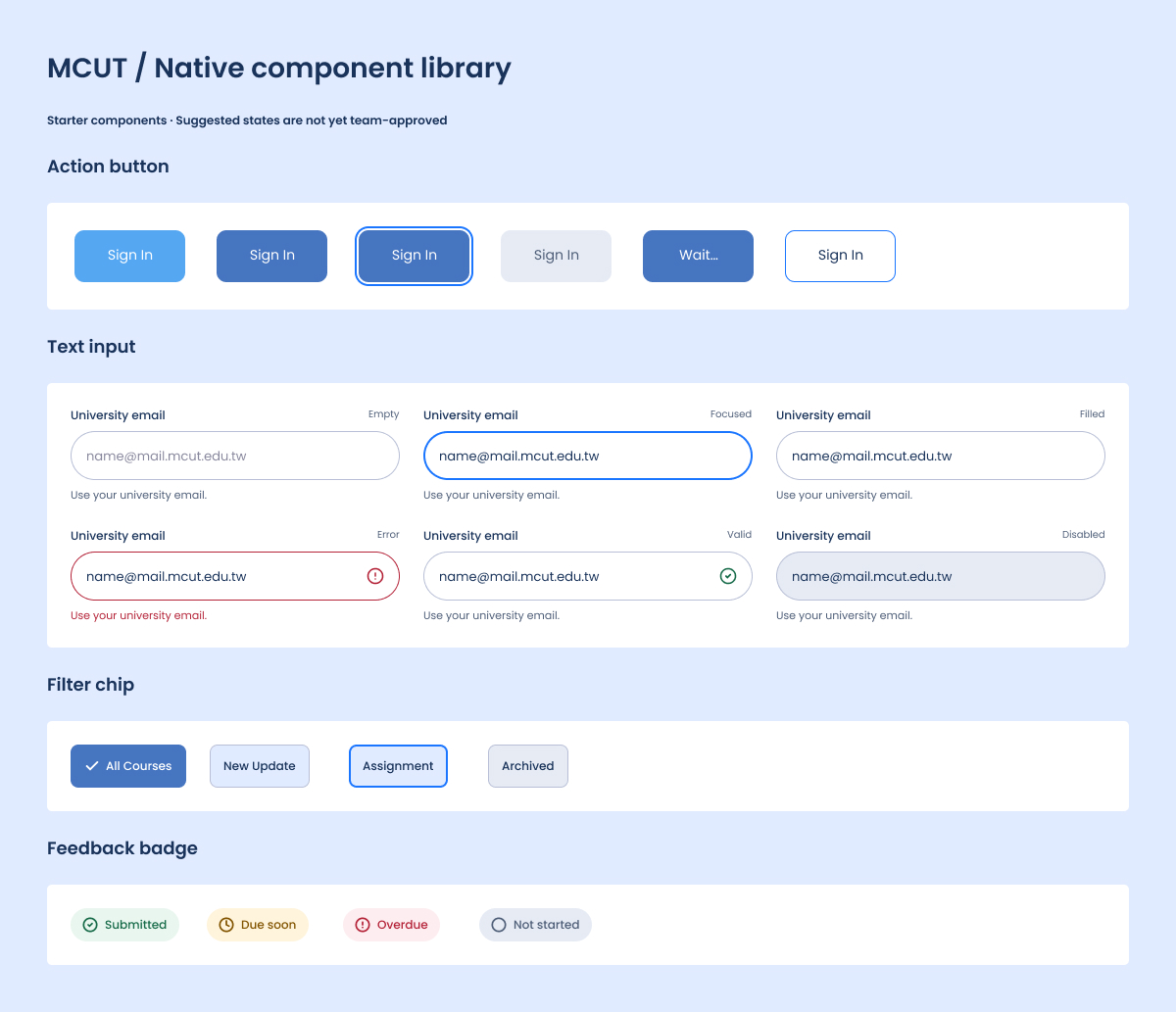
Default,Pressed,Focus,Disabled, and width-preservingLoading) for primary action buttons. Login pill inputs (50pxheight) were upgraded with persistent labels rather than placeholder-only text, alongside explicit validation copy forEmpty,Focused,Filled,Valid,Error, andDisabledstates. - Selection, Feedback & Product Patterns: Defined keyboard-navigable semester dropdowns, high-contrast filter chips with explicit selection checkmarks, and non-interactive semantic badges (
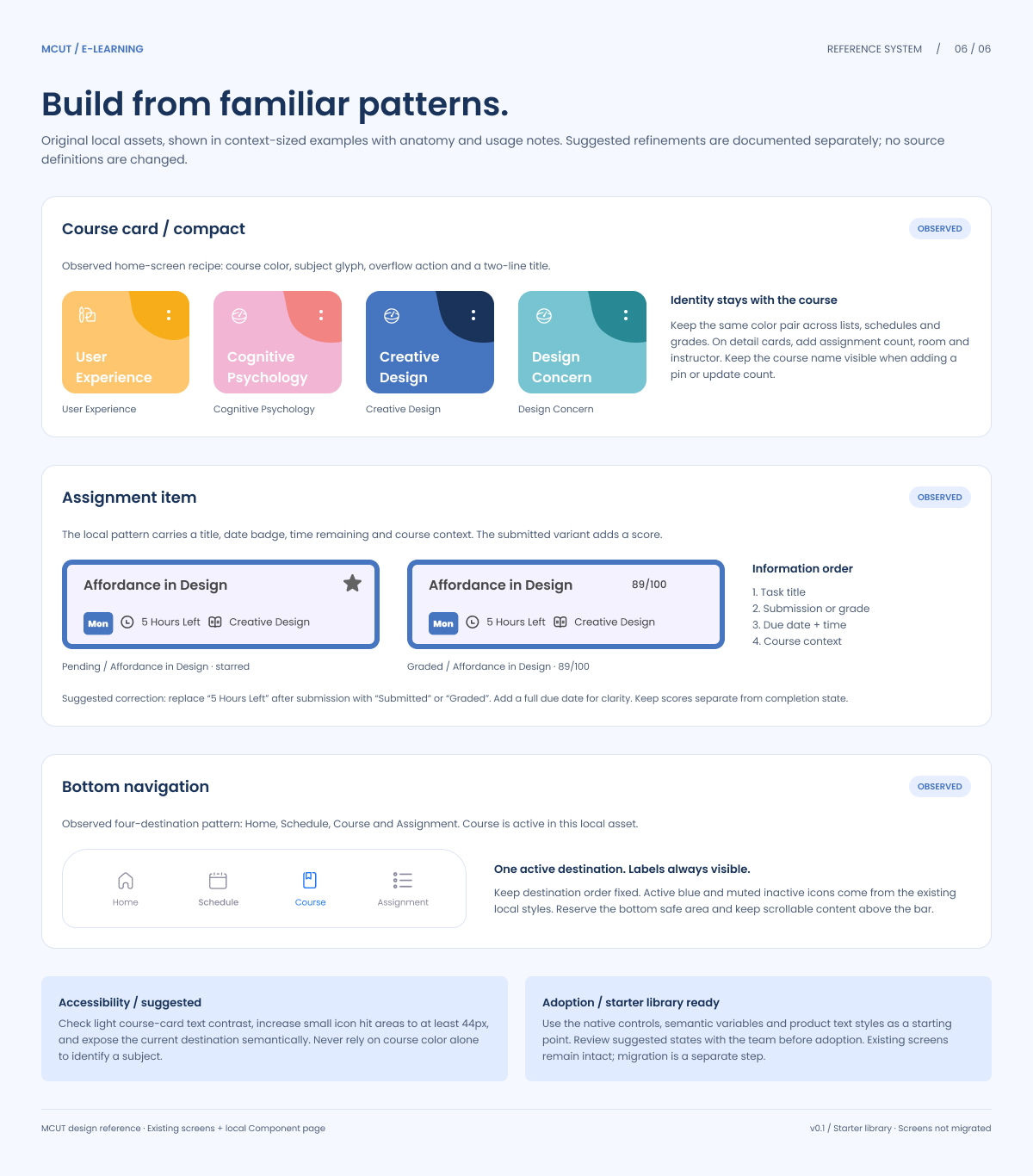
Submitted,Due soon,Overdue,Not started). Core product modules, including compact 2-line Course Cards, 4-part Assignment Items (reordering task title, grade/status, full due date, and course context), and the fixed 4-destination Bottom Navigation bar, were standardized with clear anatomical rules. - Interaction & Accessibility Specs: Enforced a minimum
44×44pxtouch target (48pxwhere space allows) across all triggers and small icon hit areas, full keyboard navigation support (Arrowkeys,Enter,Escape), and semantic screen-reader announcements for validation, loading, and active navigation states.
04 / Reflection
What Worked: Clearly separating OBSERVED legacy patterns from SUGGESTED refinements allowed the creation of a clean, reusable Figma starter library (complete with native variants, semantic variables, and text styles) without breaking existing application screens. Shifting from decorative color indicators and vague relative timestamps (“5 Hours Left”) to explicit semantic badges and full due dates significantly improved informational clarity.
What Remains Unvalidated: Because this v0.1 starter library focuses on foundational documentation and component architecture, the suggested interactive states, contrast adjustments, and keyboard focus flows are not yet team-approved or migrated into production screens. Full prototype wiring and usability testing with assistive technologies remain to be conducted.
Future Improvements: Next steps include reviewing the proposed state extensions with the engineering and product teams, migrating legacy screens away from mixed fonts (Fira Sans and Roboto) to the normalized Poppins scale, and expanding the detail-card patterns to incorporate room numbers, instructor metadata, and live assignment counts.
Visual documentation.